Matching Notes to Keys
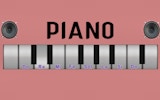
The core task in Melody Match Note Trainer is straightforward: a note appears on a musical staff, and you must find and press the corresponding key on the virtual piano. Every selection produces the piano sound for that key, so you hear the note you chose. Correct answers highlight the right key; incorrect ones show a gentle visual cue and let you try again without penalty. That immediate loop connects what you see on the staff with what you hear.
How Difficulty Unfolds
The game does not drop you into complex notation. Early exercises stick to single note identification, which helps you learn the keyboard layout and the position of notes on the staff. As you improve, the content introduces scales, then intervals, and eventually simple chords. Each stage relies on skills from the previous one, so new material arrives only after the basics feel familiar. This structure is meant to prevent frustration and keep progress steady rather than overwhelming.
Feedback That Teaches
Audio and visual feedback run through every action. Press a key and you hear its pitch; the screen also marks the correct answer. Wrong choices are not punished—they simply prompt another attempt. Because mistakes are corrected in the moment, the game treats them as part of learning rather than failure. That design suits beginners who need repetition to build reliable note recognition.
Playing Without Setup
Melody Match Note Trainer runs entirely in a web browser, so it works on desktops, tablets, and smartphones with an internet connection. No download or installation is required, which makes short practice sessions practical during breaks, commutes, or at home. The aim is to prepare players for real piano playing or further music study by strengthening visual memory for notation and auditory memory for pitch.







Editorial Notes